
Hotel website box
A premium hospitality site with booking CTA, rooms, offers, amenities and editorial-style sections.
Website in a Box Pro is a template-first builder for polished small business websites. Pick a box, preview real layouts, customize the page kit and publish with SEO and AEO structure already planned.
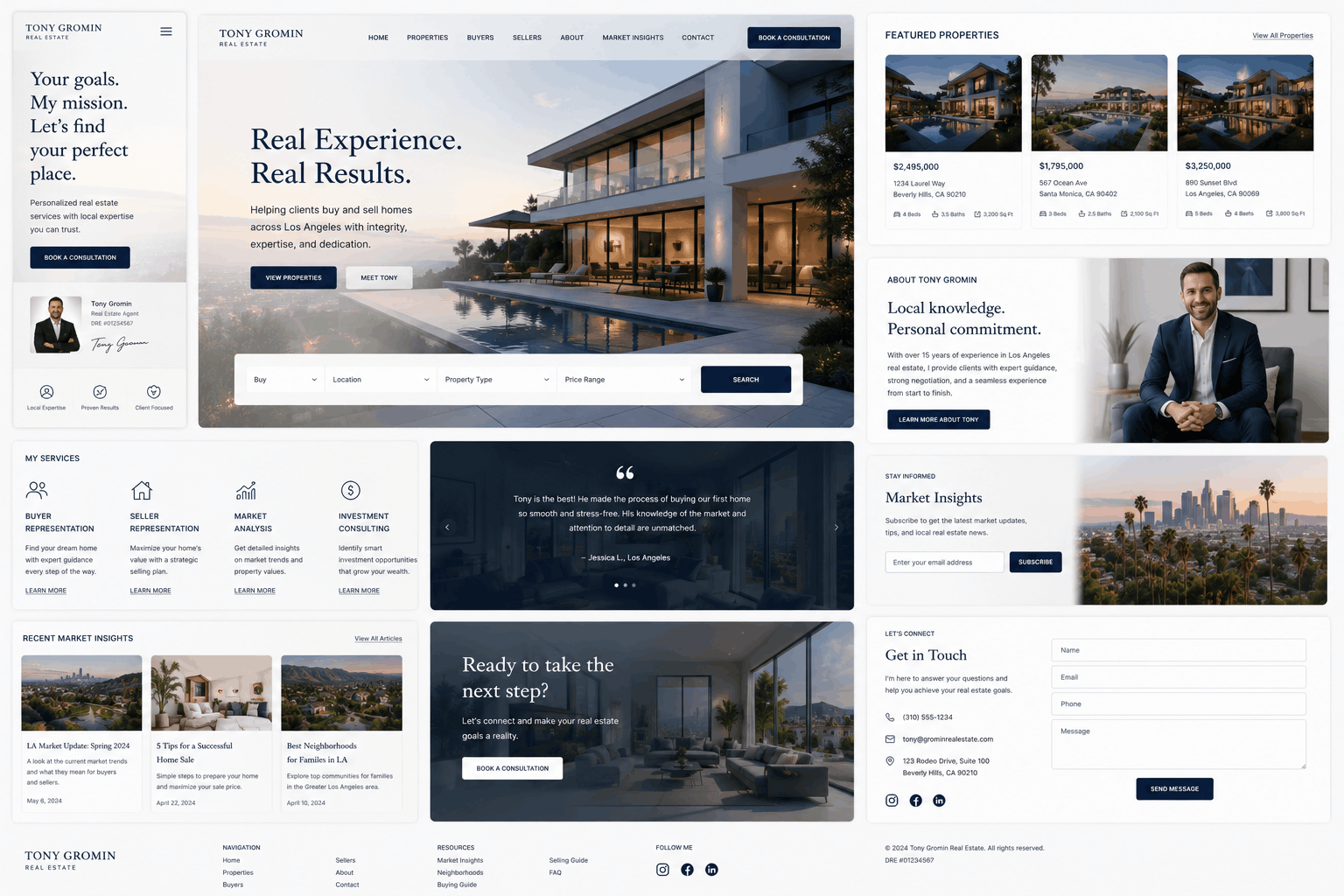
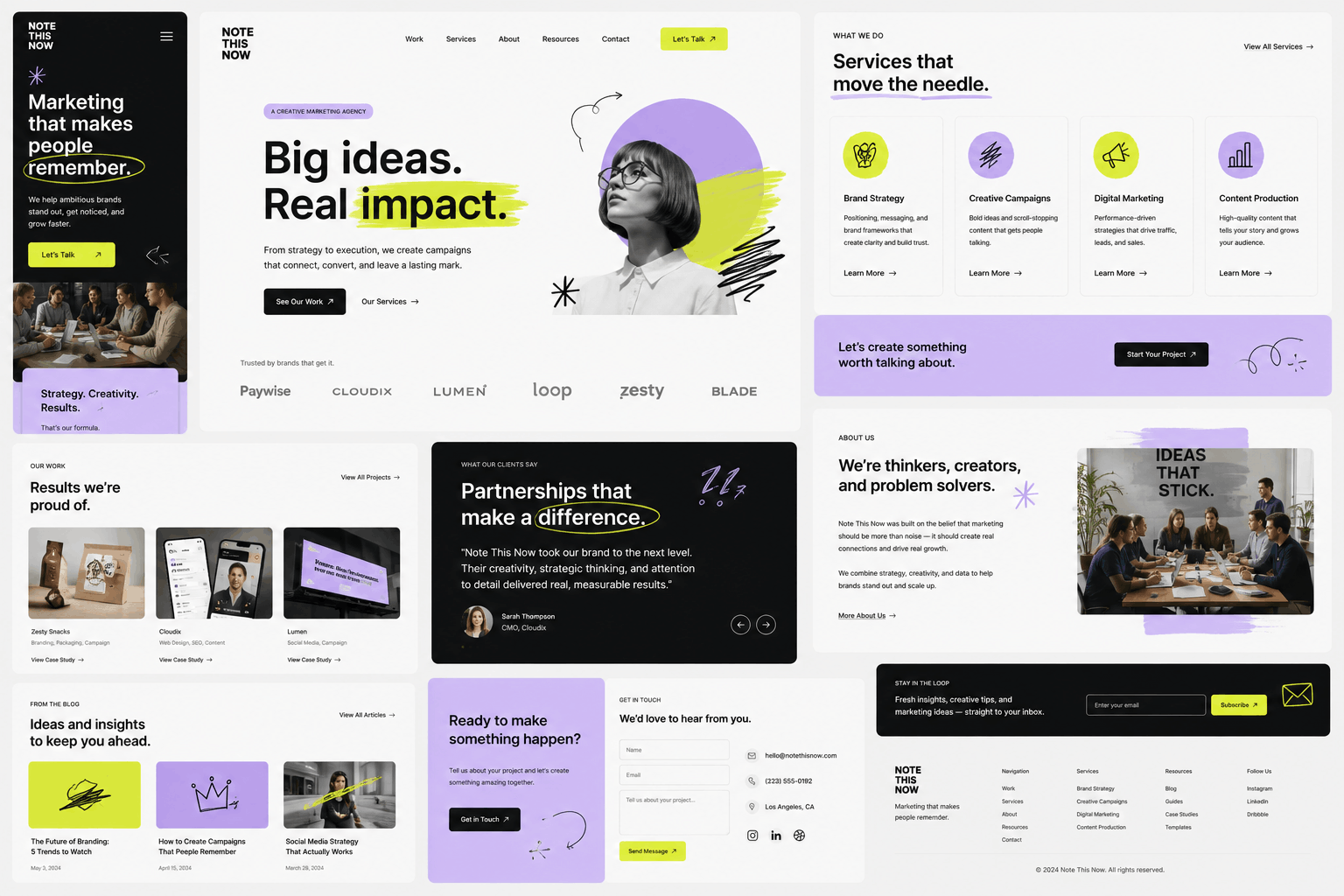


The showcase uses full-page website visuals as proof and inspiration. Each realization can become a template box, industry kit or case study.
A premium hospitality site with booking CTA, rooms, offers, amenities and editorial-style sections.
Property search, agent profile, listings, insights and lead-focused sections.
Bold services, case studies, proof, newsletter and contact modules.

Artisanal ecommerce feel with products, story, location and journal sections.

Dark performance website with programs, schedule, transformations and trial CTA.
The homepage can explain the product like a builder: select a box, customize pages, reuse sections and ship search-friendly pages.
Complete kits for hotels, agencies, real estate, bakeries, sports schools, gyms, ecommerce and SaaS.
Use full website screenshots as presentation assets, template previews and realization proof.
Every box can include metadata prompts, heading logic, internal links, FAQs and blog-ready layouts.
Quick answers, comparison modules and question-led sections for AI search and featured snippets.

John Fondant created Website in a Box Pro for founders, local businesses and creators who want a complete website system: strong visual mockups, ready page structures, pricing sections, FAQs and launch-friendly SEO foundations.
These categories drive the mega menu, template archive and internal linking for SEO pages.
Homepage, service pages, proof, pricing, FAQ and contact flow.
Product story, categories, trust blocks, checkout guidance and location.
Listings, agent bio, search bar, neighborhood insights and lead capture.
Offer-led pages, pricing, comparisons, case studies and conversion CTAs.
Clear commercial framing with room for plan comparison, FAQ schema and internal links to template pages.
For simple websites and landing pages.
For businesses that need full template access.
For customers who want the site assembled with them.
Each template box can answer what the business offers, who it serves, what it costs, why it is different and what the visitor should do next.